Creating a Medium For Music Lovers to Share and Discover the Music They Love.
UX/UI Design
Role
Project Lead
Time Line
16-20 Weeks
Tools
Figma, Adobe Illustrator, InDesign, Miro
The Problem
Do you ever find yourself bored of your current playlists? Can't seem to find any new music that interests you? I’ve encountered this problem first hand with little to no solutions available.
I'd often find myself listening to the same artists/playlists for weeks and eventually getting bored. This common pain point inspired me to explore a solution.
The Solution
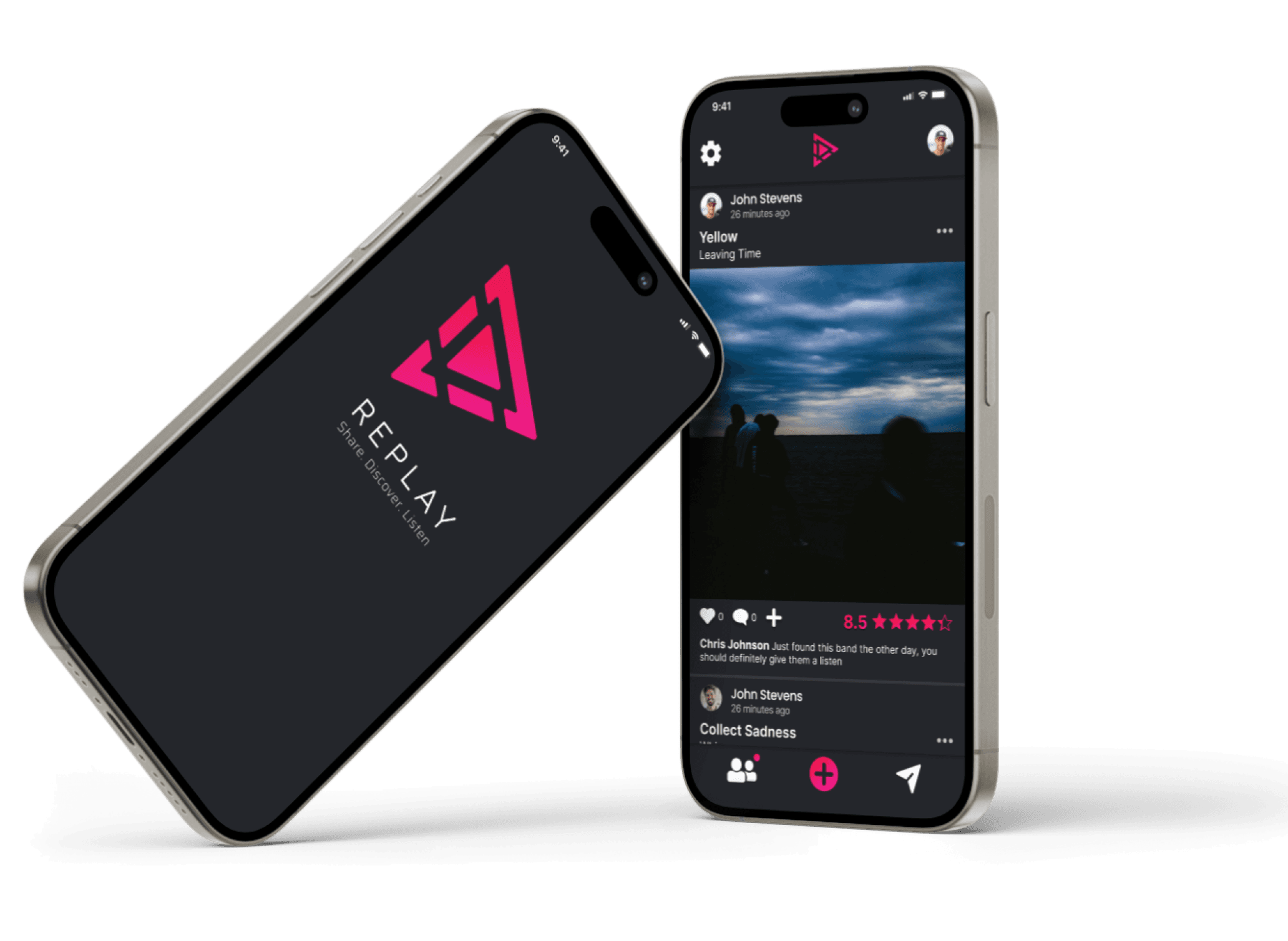
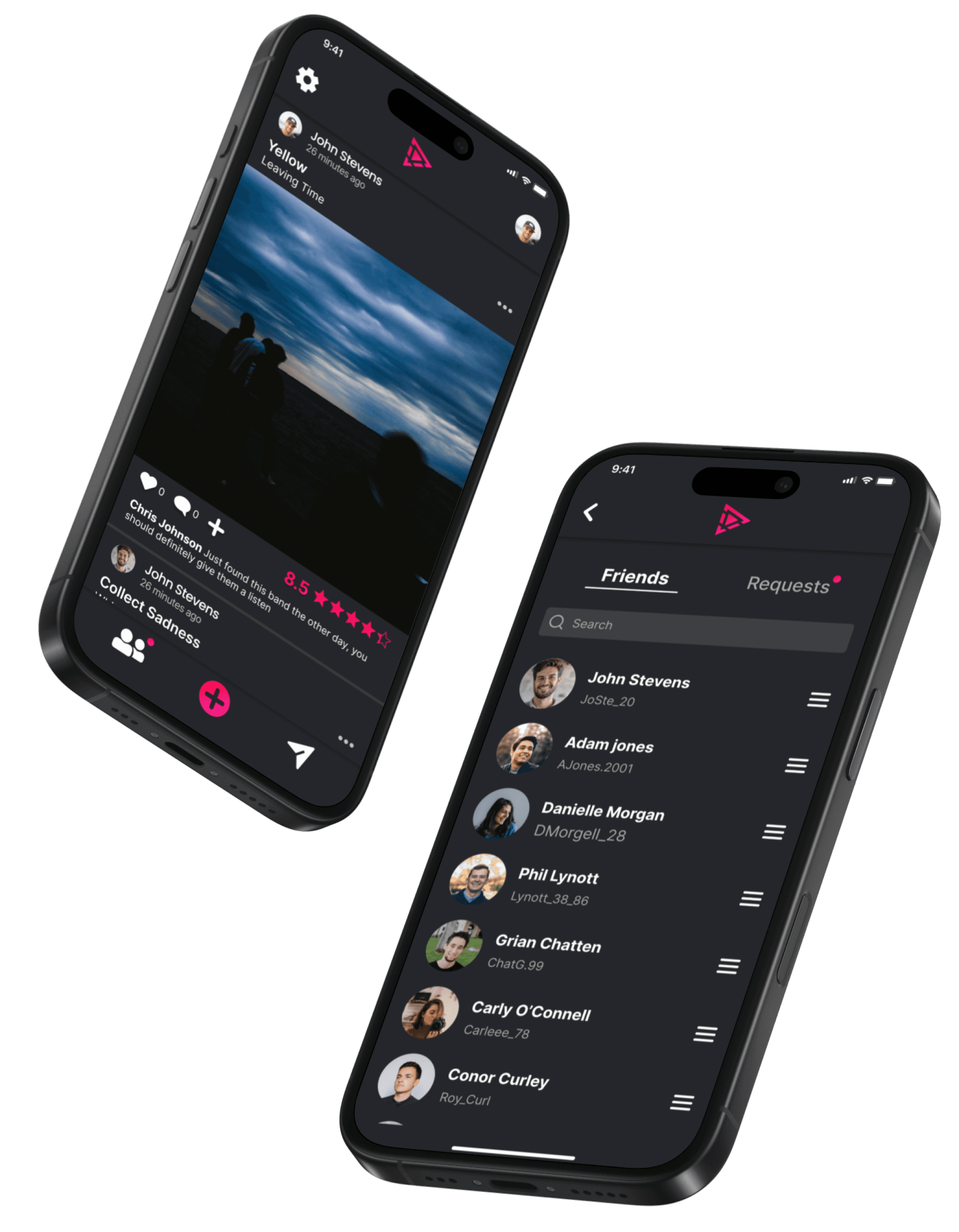
Replay is a social mobile application designed for the purpose of sharing, rating, and discovering new music to listen to. It is a space for music lovers to share and openly discuss their favourite music or what they have recently been listening to.
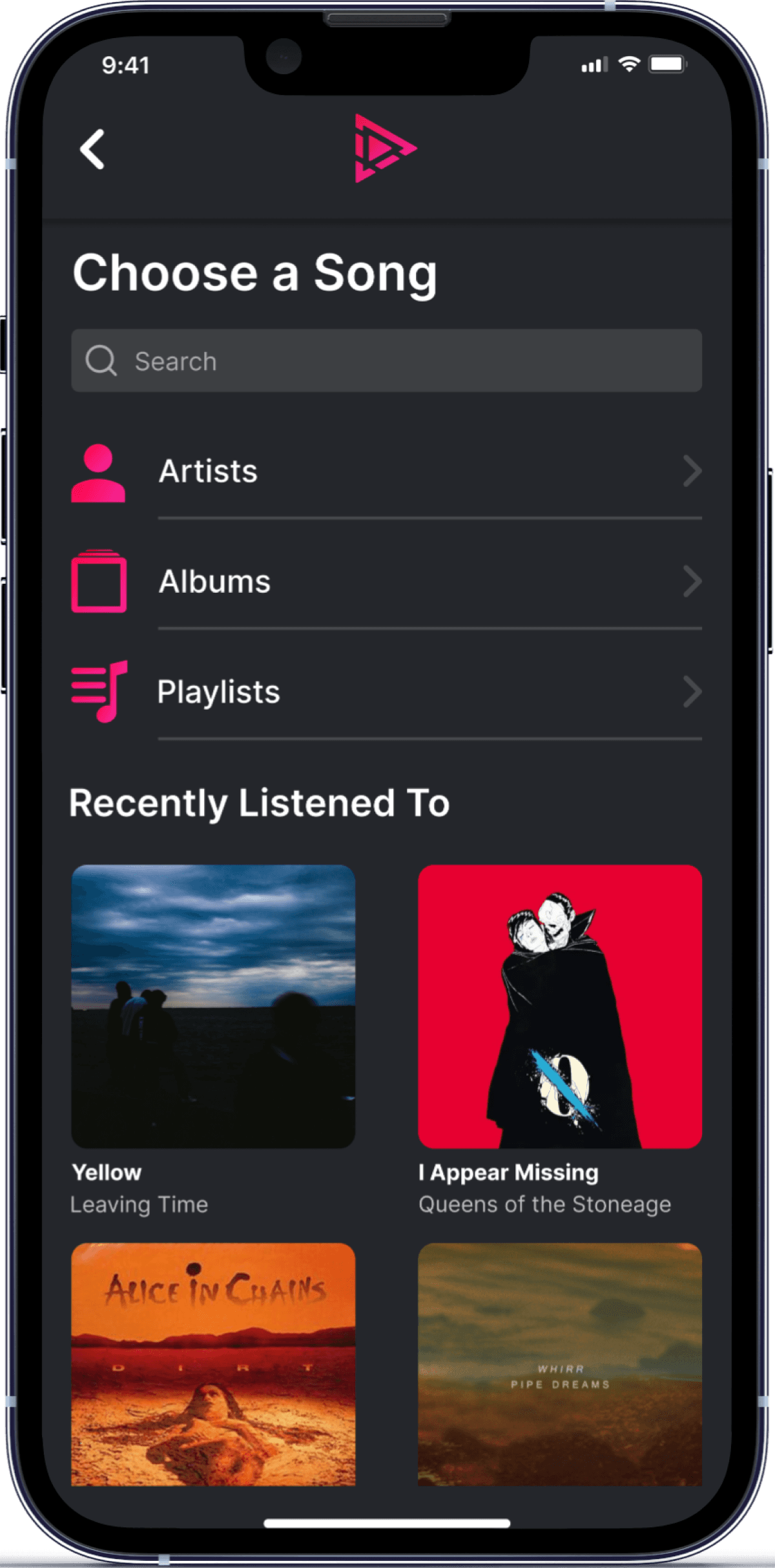
Within the app users can create posts where they 1.) choose a song, 2.) give it a rating, 3.) add their thoughts (optional), and post it to the app. User can add friends and browse through posts.

The Problem
Do you ever find yourself bored of your current playlists? Can't seem to find any new music that interests you? I’ve encountered this problem first hand with little to no solutions available. I'd often find myself listening to the same artists/playlists for weeks and eventually getting bored. This common pain point inspired me to explore a solution.
The Solution
Replay is a social mobile application designed for the purpose of sharing, rating, and discovering new music to listen to. It is a space for music lovers to share and openly discuss their favourite music or what they have recently been listening to.
Within the app users can create posts where they 1.) choose a song, 2.) give it a rating, 3.) add their thoughts (optional), and post it to the app. User can add friends and browse through posts.
Key User Insights
1
Sociability
All participants expressed how they are interested in what their friend's and family's listening habits are.
2
Lack of Process
None of the participants had a clear process in relation to solving the problem.
3
Music Streaming
All participants used mobile streaming services as their primary way of listening to music.
User Investigation
I conducted 1:1 interviews with 4 users aged 18–29, using a standardised script to maintain consistency. Each interview was recorded (with consent) to ensure I captured all insights.
I created an affinity diagram to compile and analyse data. Using sticky notes I organised data by theme and pattern to uncover user insights.


Key User Insights
1
Sociability
All participants expressed how they are interested in what their friend's and family's listening habits are.
2
Lack of Process
None of the participants had a clear process in relation to solving the problem.
3
Music Streaming
All participants used mobile streaming services as their primary way of listening to music.
Low Fidelity Wireframes

Low Fidelity Wireframes
1st Design

First Design Flaws
Using the data recorded from my market and user research, and using my wireframes as a guide, I created a high fidelity prototype using Figma. I tested this prototype on three users through the use of usability testing. Through heuristic evaluation and the insights gathered from my usability testing I discovered the following issues with my first design:

Design Improvements

1
Logo
A common theme amongst all usability tests was users being frustrated by information on their screen they did not care for such as care hire, accommodation suggestions, and ads for sales.
1
Logo
A common theme amongst all usability tests was users being frustrated by information on their screen they did not care for such as care hire, accommodation suggestions, and ads for sales.
2
Wider UI
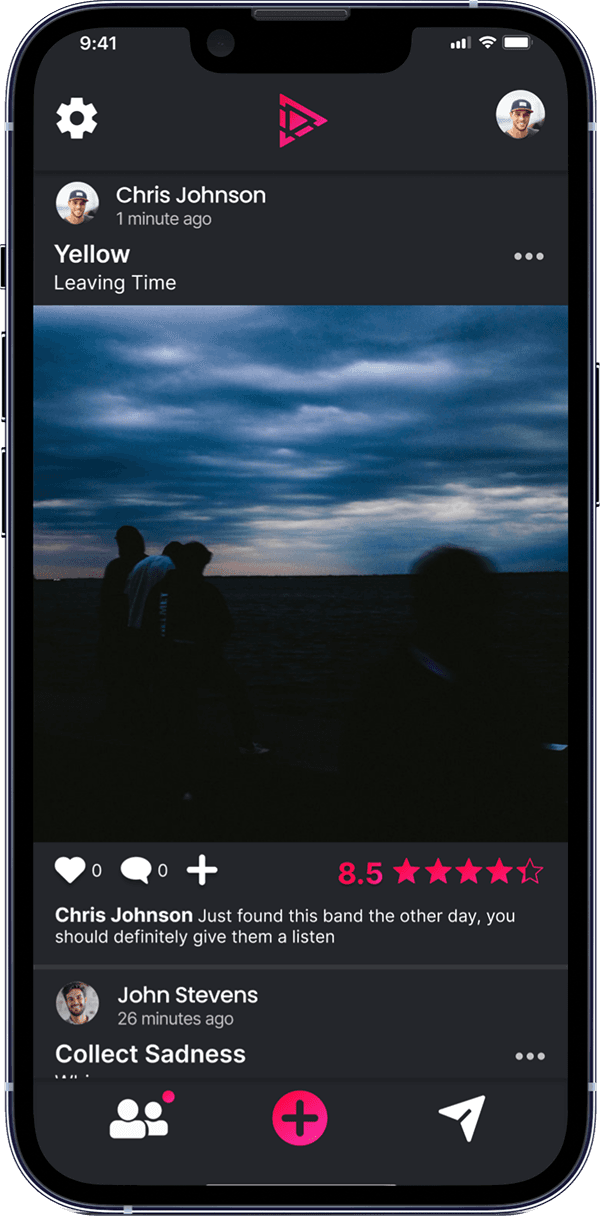
I enlarged the UI by stretching images and content while removing unused space to fill the viewport, making content larger and improving user focus.
2
Wider UI
I enlarged the UI by stretching images and content while removing unused space to fill the viewport, making content larger and improving user focus.
3
Interaction Buttons
I repositioned the interaction buttons below the post image instead of on top, making them easier to find and aligning with users' mental model of where they expect these buttons to be.
3
Interaction Buttons
I repositioned the interaction buttons below the post image instead of on top, making them easier to find and aligning with users' mental model of where they expect these buttons to be.
4
Navigation Menu
I removed the "Add a post" button from the top of the screen and included a navigation bar instead, allowing users to flow through and navigate the app's features more efficiently.
4
Navigation Menu
I removed the "Add a post" button from the top of the screen and included a navigation bar instead, allowing users to flow through and navigate the app's features more efficiently.
5
Caption Input
I enlarged the caption button and provided more space for users to type, enabling them to identify the button quicker while ensuring larger text inputs remain visible.
5
Caption Input
I enlarged the caption button and provided more space for users to type, enabling them to identify the button quicker while ensuring larger text inputs remain visible.
6
Rating Feature
I added an input text field to the rating button, allowing users to easily identify it.
6
Rating Feature
I added an input text field to the rating button, allowing users to easily identify it.
7
Share Button
By applying Fitt's Law, I enlarged the share button to take up more screen space, allowing users to identify and select it with greater efficiency.
7
Share Button
By applying Fitt's Law, I enlarged the share button to take up more screen space, allowing users to identify and select it with greater efficiency.







How Does it Work?
1
Create a Post
The home screen acts as a feed similar to instagram, facebook, and twitter. Here the user can view posts from friends and other users. To create a post the user selects the primary button on the navigation menu.


Conclusion
What Went Well:
Acknowledgment of earlier mistakes resulted in a superior final design.
The final product gives music lovers a real way to explore, discuss, and share their taste in music. A real solution to the problem I set out to resolve.
A confident name and logo gave Replay a real identity, not just an interface.
What Could Be Improved:
My first prototype had issues. The user flow lacked detail and the interface was aesthetically un-appealing. This resulted in development of a second high fidelity prototype which delayed the project.
LESSON
Finalise design choices before progressing to high-fidelity prototypes.
Insufficient usability testing was carried out before development resulting in a design that didn’t fully align with user needs.
LESSON
Ensure a substantial level of user research is conducted before developing the final prototype.

1
Create a Post
The home screen acts as a Feed similar to instagram, facebook, and twitter. Here the user can view posts from friends and other users. To create a post the user selects the primary button on the navigation menu.
2
Step Two Title
Placeholder detail text for step two. Paste your copy here.
Conclusion
What Went Well:
Acknowledgment of earlier mistakes resulted in a superior final design.
The final product gives music lovers a real way to explore, discuss, and share their taste in music. A real solution to the problem I set out to resolve.
A confident name and logo gave Replay a real identity, not just an interface.
What Could Be Improved:
My first prototype had issues. The user flow lacked detail and the interface was aesthetically un-appealing. This resulted in development of a second high fidelity prototype which delayed the project.
LESSON
Finalize design choices before progressing to high-fidelity prototypes.
Insufficient usability testing was carried out before development resulting in a design that didn’t fully align with user needs.
LESSON
Ensure a substantial level of user research is conducted before developing the final prototype.
User Investigation
I conducted 1:1 interviews with 4 users aged 18–29, using a standardised script to maintain consistency. Each interview was recorded (with consent) to ensure I captured all insights.
I created an affinity diagram to compile and analyse data. Using sticky notes I organised data by theme and pattern to uncover user insights.
Low Fidelity Wireframes
1st Design
Swipe to see all Screens
First Design Flaws
Using the data recorded from my market and user research, and using my wireframes as a guide, I created a high fidelity prototype using Figma.
I tested this prototype on three users through the use of usability testing. Through heuristic evaluation and the insights gathered from my usability testing I discovered the following issues with my first design:


Let’s Work Together
elliottmullen14@gmail.com